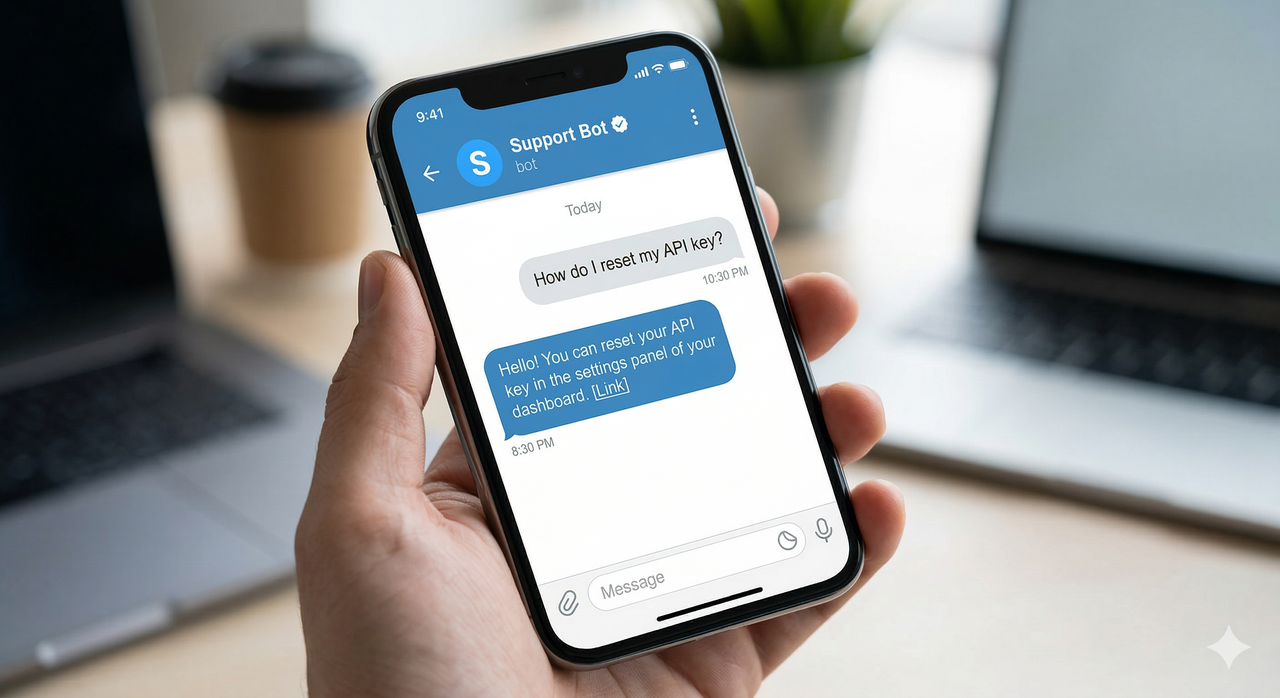
The landscape of modern digital communication has fundamentally shifted. Customers no longer want to wait on hold listening to elevator music, nor do they want to submit a ticket to a generic email address and wait 48 hours for a reply. They expect immediate, conversational, and accessible support natively on the platforms they already use daily. Enter the Telegram support bot—a tool rapidly becoming the gold standard for modern customer service.
As businesses scramble to meet these evolving expectations, understanding how to deploy and manage a Telegram support bot has become a critical operational requirement. In this comprehensive guide, we will explore exactly what these bots are, how the API integration functions behind the scenes, and why utilizing infrastructure like TG Support Bot is revolutionizing customer support workflows globally.
Defining the Telegram Support Bot
At its core, a telegram support bot is an automated or semi-automated digital assistant that operates directly within the Telegram messaging application. To the end user (your customer), the bot appears as a standard chat contact. They search for your business name, open the chat, and type a message just as they would to a friend.
However, behind the scenes, the bot acts as a highly efficient routing layer. Instead of going to a single smartphone, the customer's message is routed through an API integration directly into a unified customer support dashboard. From this dashboard, a team of human agents can read, organize, and reply to the messages. When an agent replies from the web app, the response is instantly routed back through the API and appears as a direct message from the bot on the customer's phone.
How the Official Telegram Bot API Works
The magic of the Telegram support bot is powered by the Telegram Bot API. Unlike other platforms that actively discourage third-party tools, Telegram has built its architecture with automation and integration in mind. The official Telegram Bot API documentation provides a robust framework for developers to connect external applications seamlessly to the messaging network.
When you create a bot using the official Telegram "BotFather," you are given a unique API token. A service like TG Support Bot uses this token to establish a secure, real-time connection—usually via a webhook—between Telegram's servers and the customer support dashboard. This integration guarantees that messages are delivered instantly, securely, and without rate-limiting issues associated with unofficial, "scraped" API methods.
Key Features of a Professional Bot
Deploying a raw bot via the API is just the first step. The true value comes from the software layer built on top of it. A professional customer support setup unlocks several critical operational features:
1. Chat Management and Routing
In a standard Telegram group, messages get buried, and it is impossible to know which team member is handling which issue. A dedicated dashboard turns the chaotic chat feed into an organized inbox. Chats can be marked as "Open," "Snoozed," or "Closed," ensuring no customer request slips through the cracks.
2. Quick Replies and Automation
Customer support teams often answer the same 10 questions repeatedly. A robust bot integration allows teams to create pre-written "Quick Replies" for common inquiries like shipping times, API documentation links, or refund policies. This drastically reduces response times and ensures consistent messaging across the entire team.
3. Team Management
Scaling customer support requires multiple hands on deck. A professional bot dashboard allows an administrator to invite multiple team members. All agents can work simultaneously, handling different customer threads from the exact same bot account without tripping over each other.
4. Mass Broadcasts
Beyond one-on-one customer support, the bot serves as a powerful marketing and update tool. With a broadcast feature, businesses can send a single message (like a feature update, downtime notification, or promotional offer) instantly to every single user who has previously interacted with the bot.
Why Businesses Prefer Telegram for Customer Support
The shift toward Telegram is not arbitrary. It is driven by distinct advantages the platform holds over traditional email, live chat widgets, and competing messaging apps. Telegram's explosive growth to nearly a billion active users means that a massive segment of the global consumer base already has the app installed.
Furthermore, Telegram is cloud-based. If a customer starts a support chat on their phone while commuting, they can seamlessly continue that exact same conversation later on their desktop app. From a business perspective, the open nature of the official API means that integrating your bot with customer support tools (like CRM databases or payment processors) is significantly easier and less restricted than working with closed ecosystems like WhatsApp Business.
Getting Started with Your Own Bot
Historically, setting up an API-driven bot required a dedicated development team to manage server infrastructure, handle webhook security, and build a UI from scratch. Today, platforms like TG Support Bot eliminate this technical barrier entirely.
To launch your own, you simply generate a token via Telegram, paste it into the dashboard, and your entire customer support infrastructure is instantly deployed. Whether you are a solo developer offering SaaS support, or a large enterprise managing multiple Telegram accounts for different regional teams, deploying a Telegram support bot is the fastest way to upgrade your communication strategy for 2026.
By meeting your customers exactly where they are, utilizing API channels, and managing the chaos through a centralized dashboard, you transform customer support from a frustrating operational cost into a streamlined, automated asset.